Screenshots
A Look Inside the Proposal
Real pages from the sample — your logo, colors, credentials, and financing in their place.
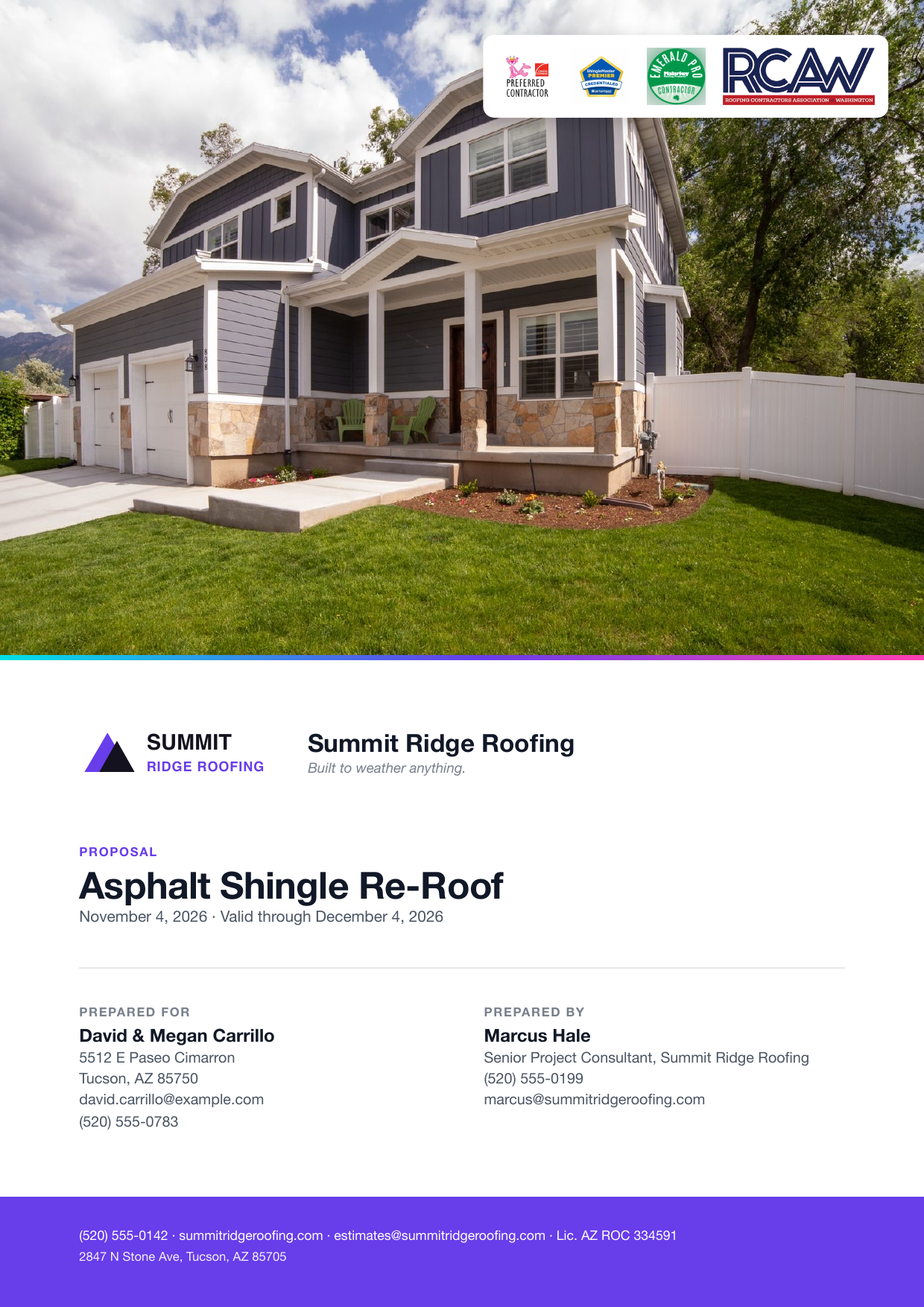
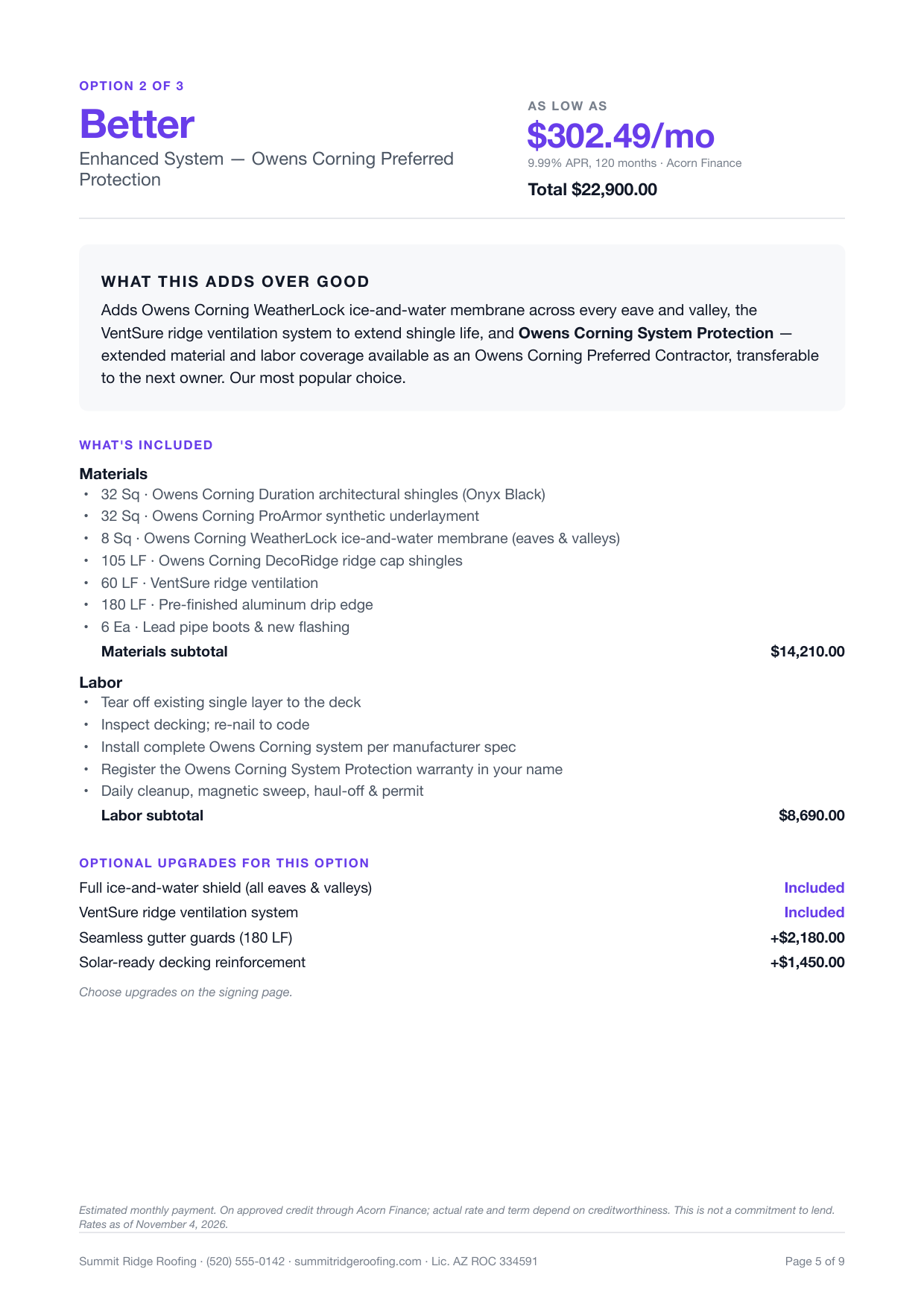
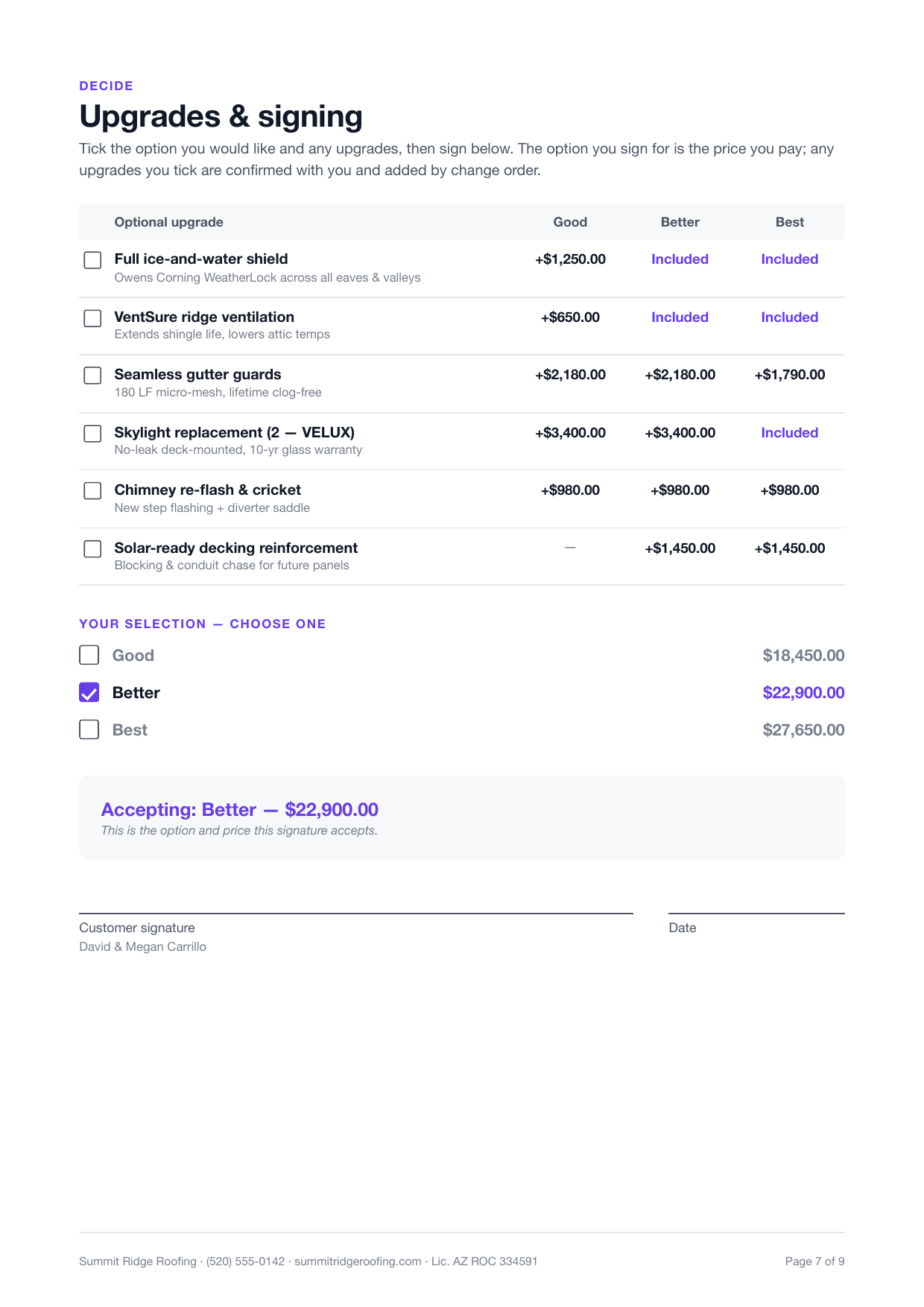
Turn your estimate into a branded good/better/best proposal, cover, credentials, financing, and an online signature page, built from the job you already have. The customer picks an option and signs from their phone. Included free for every contractor.
When you hand a homeowner one number, you've framed the whole decision as yes or no, and "let me think about it" wins more often than you'd like. The contractors closing the big tickets don't send a price. They send a proposal: a document that shows who they are, what they found, and two or three ways to solve it, so the customer is choosing which option, not whether to buy.
Until now that meant a separate tool, a separate subscription, and retyping your estimate into it. FieldFuze builds the proposal straight from the estimates already on the job. Your logo, your credentials, your financing, your scope, assembled into a clean multi-page document the customer reviews and signs online, before a competitor who "emailed a quote" ever hears back.
Everything a premium sales proposal needs, included free for every contractor.
Present your estimates as tiered options the customer compares side by side, each with its own scope, price, and "what this adds." They choose up instead of deciding whether to buy at all.
The proposal references the estimates already on the job, so pricing, line items, and markup carry over automatically. Change the estimate and the proposal follows. Nothing to retype, nothing to sync.
Your logo, colors, and slogan on a photo cover, with your manufacturer and trade credentials, GAF, Owens Corning, CertainTeed, BBB, licensed & insured, shown as badges. You look like the premium choice.
Show an estimated monthly payment on every option through Acorn Finance or your own lenders, with the lender disclosure printed verbatim. A big number feels affordable; affordable closes.
Send a private link. The customer reviews the whole proposal, picks an option, and signs on their phone. You're notified when they open it and when they sign, and the signed option is the one that bills.
Pull inspection photos from the job onto their own page, and present the scope grouped the way customers read it, summary totals, category subtotals, or every line, your call.
Offer add-ons in a clean matrix, priced, included, or not offered per option. The customer ticks what they want; confirmed upgrades are added by change order.
Append your terms and warranty, merge any PDF, and save the whole layout as a reusable template so every proposal goes out consistent and on-brand in minutes.
A quote tells the customer what it costs. A FieldFuze proposal tells them why you're the right call, and makes it easy to say yes.
Every page is yours to reorder or switch off. A standard proposal flows like this:
A hero photo from the job (or your fallback cover image), your logo and slogan, the project title, who it's prepared for and by, and your credential badges, right where the customer looks first.
A short note from the rep that auto-fills the customer's name, the property address, and your company, warm, personal, and written once as a reusable template.
The inspection photos that justify the work, two or four to a page with captions, so the customer sees the problem before they see the price.
One page per option: the price (as a monthly figure, a cash total, or both), what it adds over the option below, the included scope, and the upgrades available on that option.
A side-by-side upgrade matrix, the customer's option choice, and the signature line, with the accepted option and price shown so there's no ambiguity about what was signed.
Your terms and conditions and your warranty policy, pulled from your org templates, plus any custom PDF you want merged in.
Real pages from the sample — your logo, colors, credentials, and financing in their place.
Here's what sending a proposal looks like with FieldFuze:
You inspect the roof and build two or three estimates right on the job, a straight re-roof, an upgraded system, a total-protection package, each with its own scope and price.
You tap Build proposal. FieldFuze pulls those estimates in as good/better/best options, drops in your cover, credentials, and letter, and pulls your inspection photos onto the photos page. You set the financing plan and pick which upgrades to offer.
You send the customer a private link. They open the proposal on their phone, read the letter, see the photos, compare the three options and the monthly payments, pick the one that fits, and sign, right there.
You're notified the moment they sign. The signed option is the one that bills, flows into the job, unlocks material ordering, and takes payment through FieldFuze. No separate proposal tool, no re-entry.
Most contractors pay for a standalone proposal tool on top of their field-service software, then keep the two in sync by hand. FieldFuze builds the proposal on the same job and estimates you already manage.
| Tool | Type | Proposal Cost |
|---|---|---|
| SumoQuote | Standalone add-on | See current pricing |
| Leap | Standalone add-on | See current pricing |
| One Click Contractor | Standalone add-on | See current pricing |
| FieldFuze | Built in | Included free |
Proposal software turns a plain estimate into a branded, multi-page sales document, a cover with your logo and credentials, an introduction letter, site photos, good/better/best options with financing, and an online signature page. FieldFuze builds the proposal from the estimates already on the job and includes it free for every contractor, unlimited seats.
Yes. FieldFuze presents your estimates as tiered options the customer compares side by side, each with its own scope, price, and optional upgrades. The customer picks one and signs for it online, so you sell up instead of selling whether to buy at all.
Yes. Send a private link and the customer reviews the whole proposal, chooses their option, and signs on their phone. You're notified the moment they open it and when they sign, and the signed option is the one that bills.
FieldFuze includes a SumoQuote-class proposal builder, tiered options, branding, credentials, financing, site photos, and e-sign, as part of the platform at no extra cost, instead of a separate paid add-on. It's built on the same job and estimates you already manage, so there's nothing to sync.
Good/better/best proposals with financing and online e-sign, free for every contractor. Win the job before your competitor calls back.
Book a Demo